Process automation has moved from a niche IT capability to a practical tool used across finance, operations, HR, and compliance teams.
Organizations increasingly rely on automation platforms to reduce manual coordination, connect systems, standardize routine processes, and improve visibility across day-to-day operations. Microsoft Power Automate is one such tool in this space.
As part of the Microsoft Power Platform, it allows businesses to automate workflows across Microsoft 365, enterprise systems, and third-party applications.
Despite the platform's widespread adoption, understanding its pricing and licensing can be challenging at first. Costs depend on whether automation is licensed per user, per bot, or per workflow.
Additional capabilities such as AI Builder, unattended robotic process automation (RPA), and process mining may also require add-on licensing.
In this guide, we provide a clear explanation of:
- Microsoft Power Automate pricing plans
- Licensing models and add-on costs
- Key platform features
- Real user feedback and limitations
- Scenarios where Power Automate works best
- When organizations consider alternatives
The goal is to help teams understand the practical considerations before choosing an automation platform.
Microsoft Power Automate Pricing (as of 2026)
Microsoft Power Automate offers multiple pricing tiers depending on how workflows are deployed. Here’s a quick overview of the pricing, what the plan is best for, and how it works.
|
Plan
|
Price
|
Best For
|
How It Works
|
|
Power Automate Premium
|
$15 per user/month (paid yearly)
|
Individuals, small teams, and departments starting with automation
|
Each user receives a license to create and run unlimited cloud workflows. Automations run in the user’s context and can trigger actions across connected apps like SharePoint, Teams, and Dynamics.
|
|
Power Automate Process
|
$150 per bot/month (paid yearly)
|
Organizations automating back-office processes without human interaction
|
A bot license runs automation independently on a machine or server. These workflows execute tasks like data entry, system updates, and scheduled jobs without requiring a logged-in user.
|
|
Power Automate Hosted Process
|
$215 per flow/month (paid yearly)
|
Enterprises running unattended automation without managing infrastructure
|
Microsoft provides a hosted virtual machine environment where automation runs continuously. Organizations do not need to provision or manage their own servers for RPA execution.
|
|
Free Trial
|
30 days
|
Teams evaluating the platform before committing to licensing
|
Users can create basic workflows using standard connectors. Premium features, advanced automation, and large-scale deployments require paid licensing.
|
Entry-level pricing may seem simple, but the overall cost of automation can increase as organizations expand their use across departments.
How Power Automate Pricing Works
Microsoft structures Power Automate licensing around three core models. Each model supports different automation scenarios.
Per-User Licensing:
Starts at $15 per user/month, paid yearly
The “Premium” plan uses a per-user licensing model. Each licensed user can build and run workflows across connected applications. The model works well when automation is driven by individuals or small teams. It includes:
- Cloud flows (DPA)
- Desktop flows (RPA) in attended mode
- Process and task mining with 50 MB data storage
- 5,000 AI Builder service credits
- Microsoft Dataverse entitlements of a 250 MB database and 2 GB file storage
Common use scenarios include:
- Approval workflows
- Notifications and task routing
- Personal productivity automation
- Departmental process coordination
As adoption expands across larger teams, organizations may need many user licenses, which can increase total cost.
Bot-Based Licensing
Starts at $150 per bot/month, paid yearly
The “Process” plan focuses on unattended robotic process automation. In this model, automation runs independently without human interaction. It includes:
- Cloud flows (DPA)
- Desktop flows (RPA) in unattended mode
- 5,000 AI Builder service credits
- Dataverse entitlements of 50 MB database and 200 MB file storage
Bots perform repetitive system tasks such as transferring data or executing scheduled processes.
Organizations often use bot-based automation for operational workflows that run continuously in the background, such as managing inventory levels or processing customer orders.
Each unattended automation bot requires a separate license. Large automation programs may require multiple bots depending on the workload.
Infrastructure-Based Licensing
Starts at $215 per flow/month, paid yearly
The “Hosted Process” plan adds Microsoft-managed infrastructure for unattended automation. Automation runs on Azure-hosted virtual machines maintained by Microsoft, removing the need for organizations to manage their own RPA servers.
Hosted infrastructure is often selected when automation must run continuously across multiple departments or regions.
Key Microsoft Power Automate Add-Ons That Affect Pricing
The base plans provide core workflow automation capabilities. However, many organizations extend the platform with additional services.
These add-ons extend the platform’s functionality but can increase the total cost of automation depending on usage and capacity requirements.
AI Builder
Estimated Pricing: ~$500 per capacity unit/month
AI Builder adds machine learning capabilities to workflows, such as document processing and prediction models. It uses a consumption-based credit system, meaning costs increase as automation processes larger datasets.
Process Mining
Estimated Price: ~$5,000 per tenant/month
Process mining helps organizations analyze operational workflows and identify opportunities for automation. The add-on is priced separately and can cost thousands of dollars per tenant per month, depending on usage.
Premium Connectors
Some integrations require premium licensing.
Systems such as enterprise databases, ERP platforms, and specialized SaaS tools often fall into this category. Automation programs integrating multiple enterprise systems typically require these connectors.
While these connectors are available with the Power Automate Premium license ($15 per user/month), organizations may need additional licenses or infrastructure depending on the number of users, workflows, or environments accessing these integrations.
Microsoft Copilot Studio
Estimated pricing: ~$200 per month
Copilot Studio enables organizations to create conversational AI assistants that interact with Power Automate workflows. These assistants can guide users through processes, answer questions, or trigger automated tasks through chat interfaces.
Some companies deploy Copilot Studio to support employee service desks, internal IT support workflows, or automated customer interactions.
Microsoft Power Automate: Key Features Explained
Power Automate combines several automation technologies designed to streamline how information moves across applications and systems.
Cloud Flows
Cloud flows automate actions across cloud-based services.
A workflow is triggered when a predefined event occurs. The trigger could involve an email arriving in Outlook or a new record appearing in a database. Once triggered, the workflow executes a sequence of predefined steps, such as sending notifications or requesting approvals.
Cloud flows help connect systems that previously required manual coordination. Because they run in Microsoft’s cloud infrastructure, workflows can operate continuously without requiring a user’s machine.
Organizations often use cloud flows to automate routine operational processes such as approval routing, internal notifications, and data synchronization across applications.
Desktop Automation (Robotic Process Automation)
Power Automate includes robotic process automation capabilities through desktop flows.
Desktop automation replicates human interactions with software interfaces. The system records a series of user actions, such as typing data, clicking buttons, or copying information between systems. Once recorded, those actions can be replayed automatically.
The feature becomes particularly useful when organizations need to automate legacy systems that lack modern integration capabilities. Desktop automation can run in attended mode, where a user triggers it, or in unattended mode, where it runs automatically without user interaction.
Unattended automation is commonly used for scheduled background tasks such as data transfers, report generation, or system updates.
AI Builder
AI Builder allows organizations to incorporate machine learning models into automation workflows. Instead of requiring data science expertise, the platform provides pre-built models that perform tasks such as document processing or data classification.
Organizations can also train custom models using structured datasets.
AI Builder is often used for tasks involving unstructured information such as invoices, receipts, forms, or images. Once information is extracted from these documents, the workflow can automatically validate the data, update records, and route tasks to the appropriate teams.
Process and Task Mining
Process mining analyzes event logs from enterprise systems to visualize how workflows actually operate. The analysis helps organizations understand where processes slow down, where manual work occurs, and where automation may deliver the most value.
Task mining records user interactions with software to identify repetitive actions suitable for automation. Together, these capabilities provide insight into operational processes before automation projects begin.
Many organizations use process mining to identify high-impact automation opportunities.
User Feedback for Power Automate and Common Limitations
While Microsoft Power Automate brings a lot to the table, it does have its quirks that might make you stop and think, “Is this really the right fit for my business?”
Based on real-world feedback, here are some limitations worth noting:
Learning curve and technical complexity
Power Automate is often described as a low-code platform. However, building advanced workflows may still require technical understanding.
Users across G2 frequently mention that workflow logic and connector configuration can become difficult as automation grows more complex. Non-technical users can build simple workflows using templates. More advanced workflows often require developer or IT support.
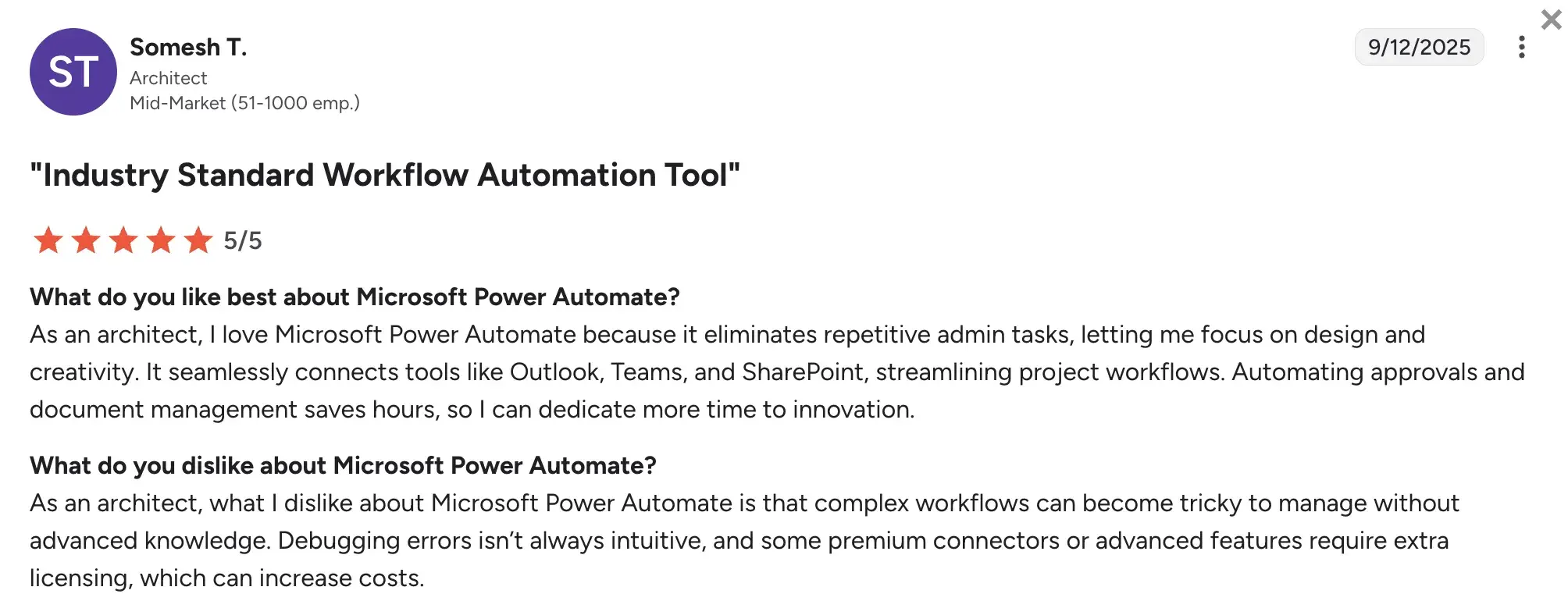
G2 Review for Power Automate
Increasing costs
Power Automate’s licensing structure can be difficult to understand.
Organizations must decide whether automation should be licensed per user, per bot, or per workflow. Additional costs may appear when businesses need premium connectors, AI Builder capacity, or unattended automation.
As automation expands across departments, budgeting can become more difficult without careful license management.
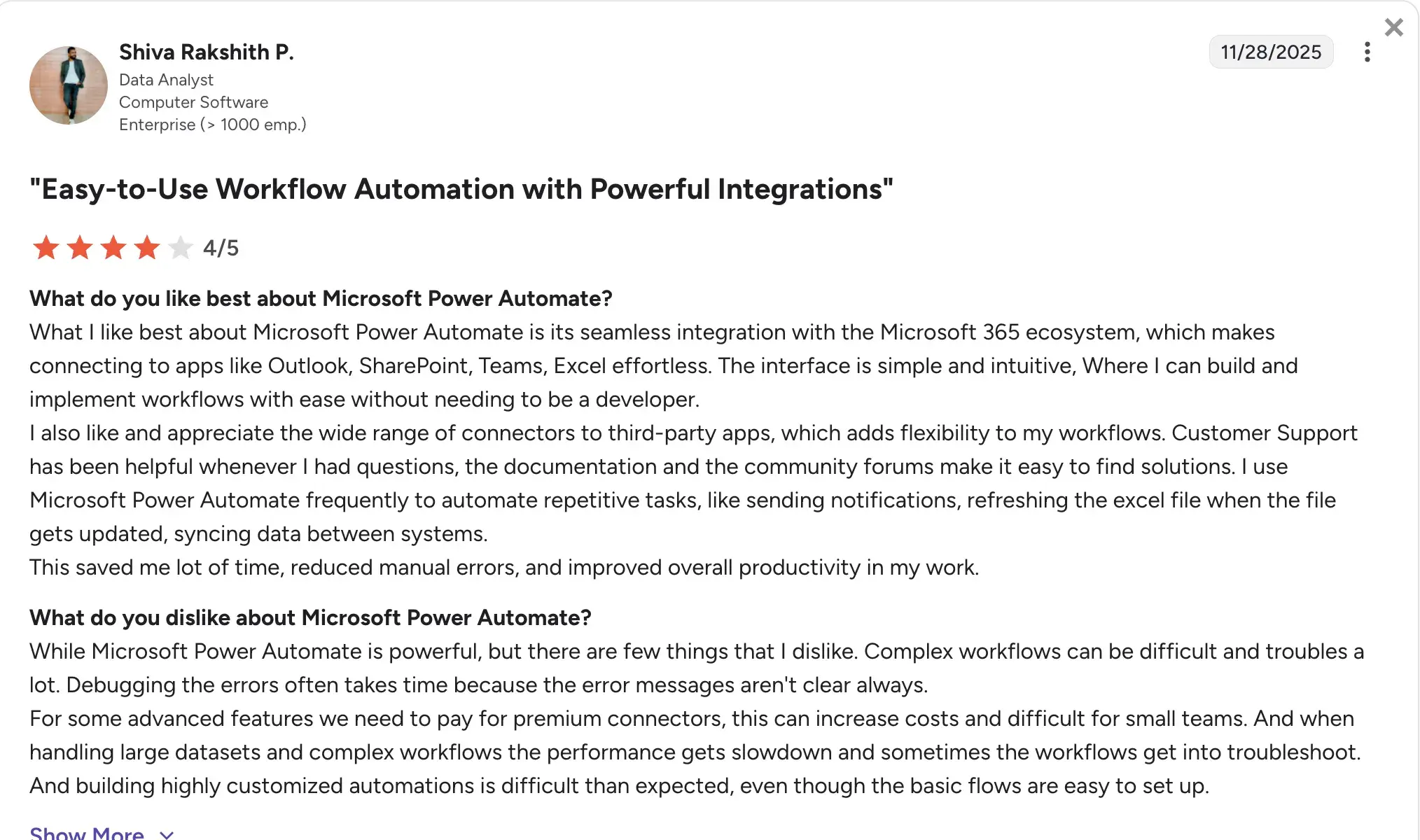
G2 Review for Power Automate
Workflow maintenance
Automation workflows must be updated whenever underlying applications change.
API updates, authentication changes, or system upgrades can cause workflows to fail.
Users sometimes report that troubleshooting workflow errors can be time-consuming because error messages do not always provide enough detail. Maintenance becomes a continuous responsibility once automation is integrated into operational processes.
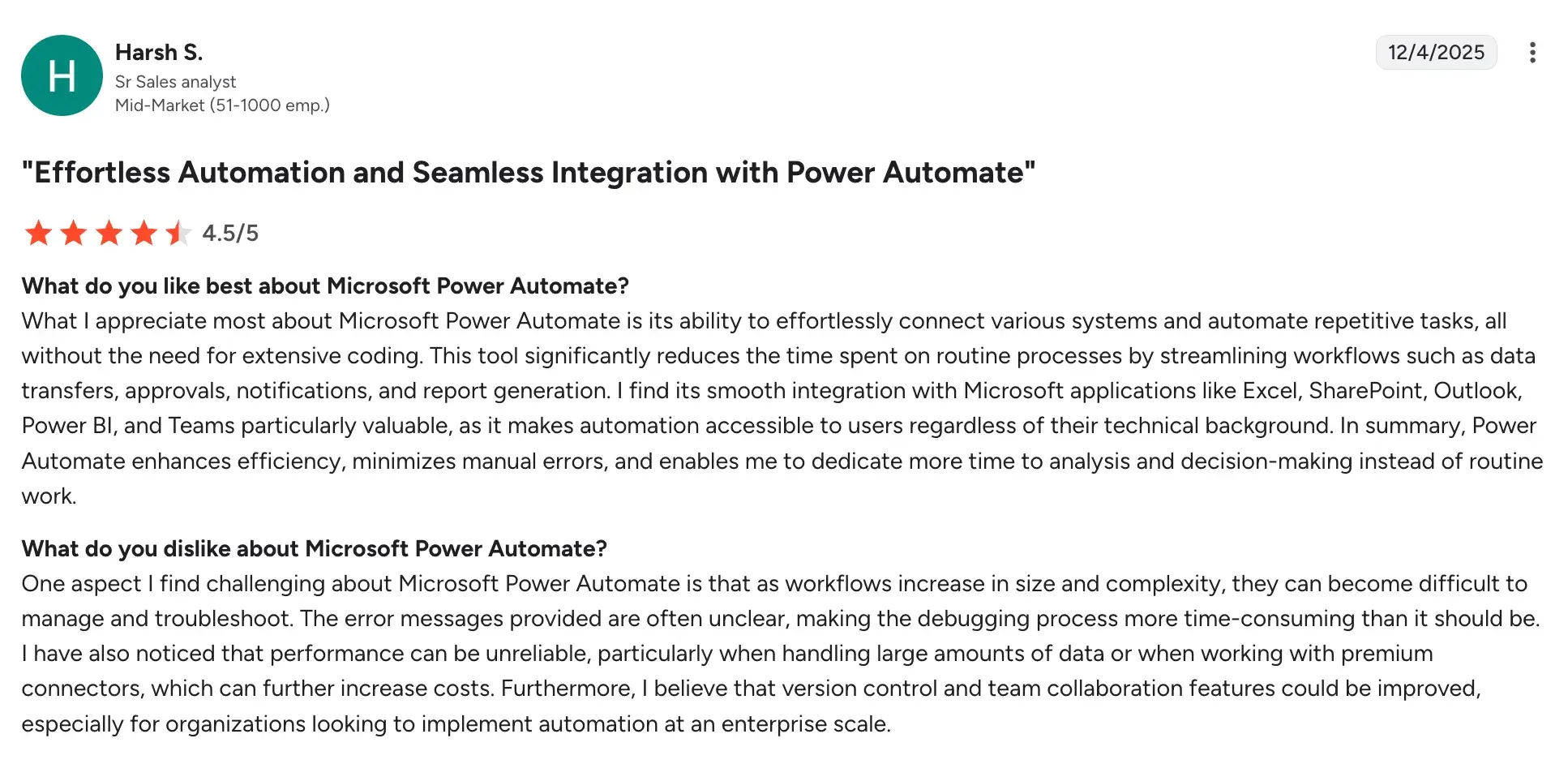
Source
Power Automate performs reliably for smaller workflows.
Organizations sometimes experience slower performance and bugs when workflows involve a large number of systems or complex process logic.
Although this does not necessarily preclude the use of Power Automate in enterprise environments, it does point to the importance of thoughtful workflow design and architecture planning.
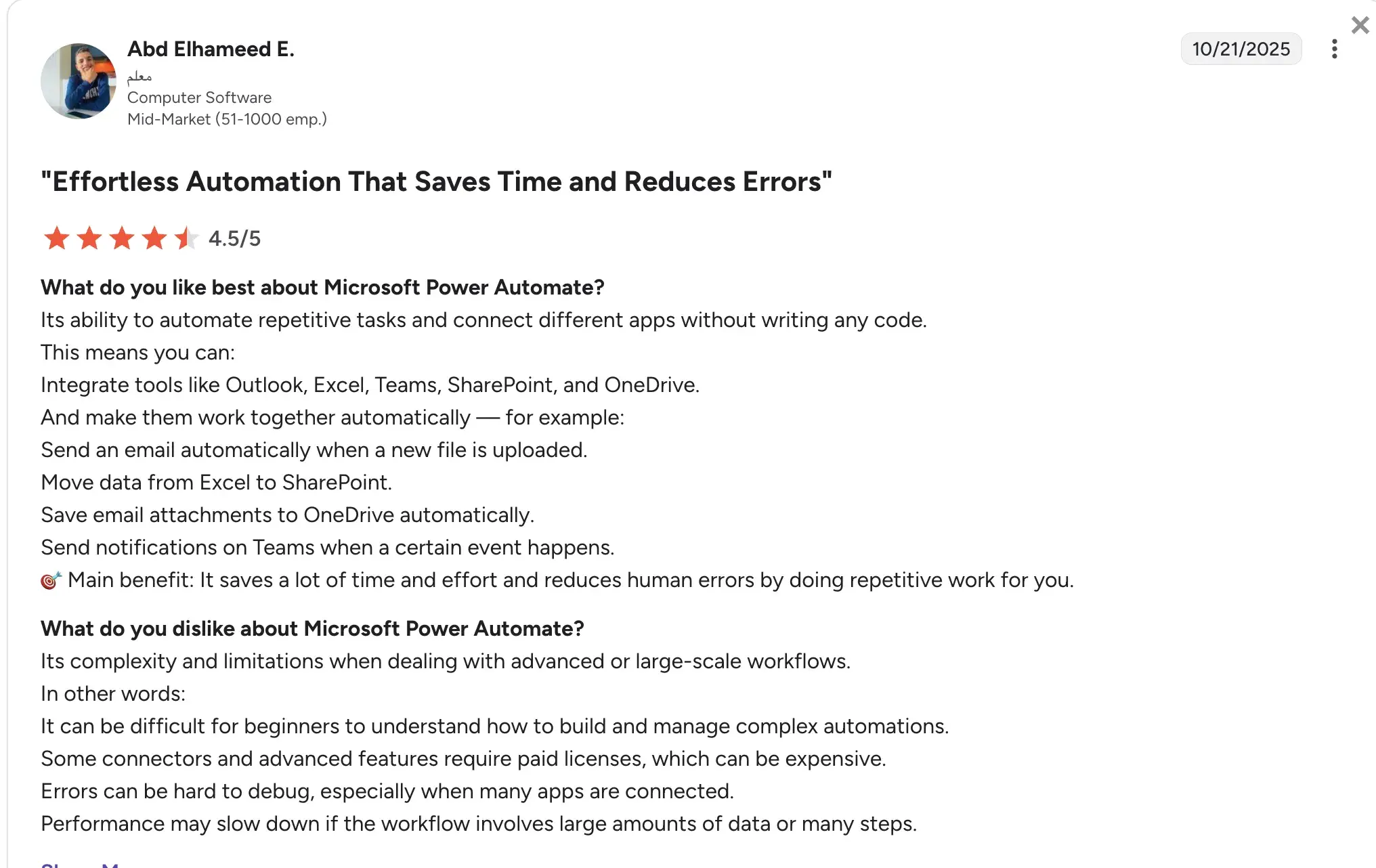
G2 Review of Power Automate
When Power Automate Works Best
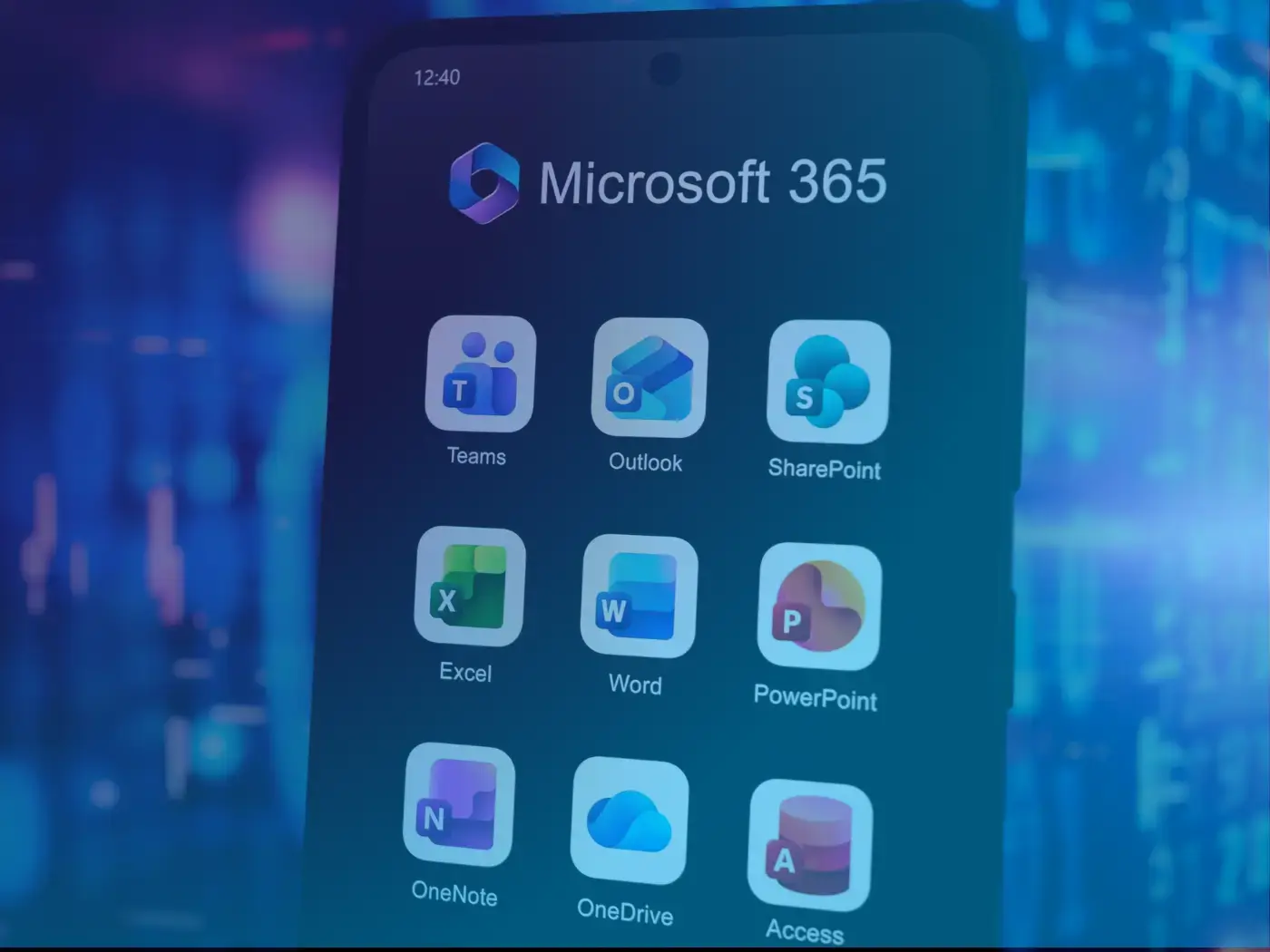
Power Automate works particularly well in organizations that already rely heavily on Microsoft products. Because the platform integrates directly with services such as Microsoft 365, SharePoint, Outlook, and Teams, many workflows can be created without complex integration work or additional infrastructure.
Power Automate typically performs best in scenarios such as:
- Microsoft ecosystem workflows: Automating tasks across Microsoft 365 applications like SharePoint, Outlook, Excel, and Teams
- Document and approval processes: Routing files for review, collecting approvals, and updating records automatically
- Event-driven notifications: Triggering alerts, reminders, or updates when specific actions occur in connected systems
- Early-stage automation programs: Introducing simple workflows that improve efficiency before expanding into more complex automation initiatives
When automation needs are centered on event-driven tasks, notifications, or departmental workflows, Power Automate can provide noticeable efficiency improvements without needing big implementation projects.
When Organizations Consider Alternatives
As automation initiatives grow, organizations sometimes evaluate additional platforms. Several factors commonly drive this evaluation.
Cross-department workflows
Large organizations often run workflows that involve multiple teams and systems. Examples include procurement approvals, compliance processes, and onboarding workflows.
These workflows may require stronger governance controls and structured workflow management.
Compliance and regulatory requirements
Industries such as healthcare, financial services, insurance, and construction often operate under strict regulatory oversight.
Automation in these environments requires detailed audit trails, role-based access controls, and visibility into how processes are executed. Some organizations evaluate automation platforms designed specifically for compliance-driven workflows.
Business user accessibility
Many organizations want operational teams to design and maintain workflows without heavy reliance on IT. Platforms focused on no-code workflow design can allow business teams to modify processes as operational needs change.
Cost predictability
Licensing structures tied to users or automation runs can make budgeting difficult.
Organizations sometimes evaluate platforms with pricing aligned to processes rather than technical usage metrics.
Governance and process visibility
Automation programs often involve sensitive business processes such as approvals, compliance checks, and operational reporting.
Alternatives to Power Automate are frequently evaluated based on how well they support governance and oversight. Features such as role-based permissions, audit trails, approval histories, and process monitoring dashboards help organizations maintain visibility and control over automated workflows.
Organizations comparing Power Automate with other workflow tools often look for a platform that is easier to manage as processes become more cross-functional or compliance-heavy.
In these situations, organizations often evaluate FlowForma for its focus on business process workflows.
FlowForma is generally considered by teams that need to digitize approval chains, inspections, onboarding, document-led processes, and other operational workflows where visibility matters as much as automation.
Instead of focusing primarily on system-to-system triggers, our platform centers on guided workflows, digital forms, document generation, reporting, and AI-assisted process design within a single environment.
Here are some of our chief features:
Structured workflow automation
Power Automate is often a strong fit for event-based automation, especially inside the Microsoft ecosystem. FlowForma is more commonly assessed when the requirement involves structured workflows with multiple stages, dependencies, approvals, or handoffs between teams.
Examples include procurement requests, compliance checks, patient-related administration, site inspections, contract approvals, and employee onboarding.
In these cases, the priority is not only to automate a trigger but also to manage the full process from submission to completion with clear ownership and traceability.
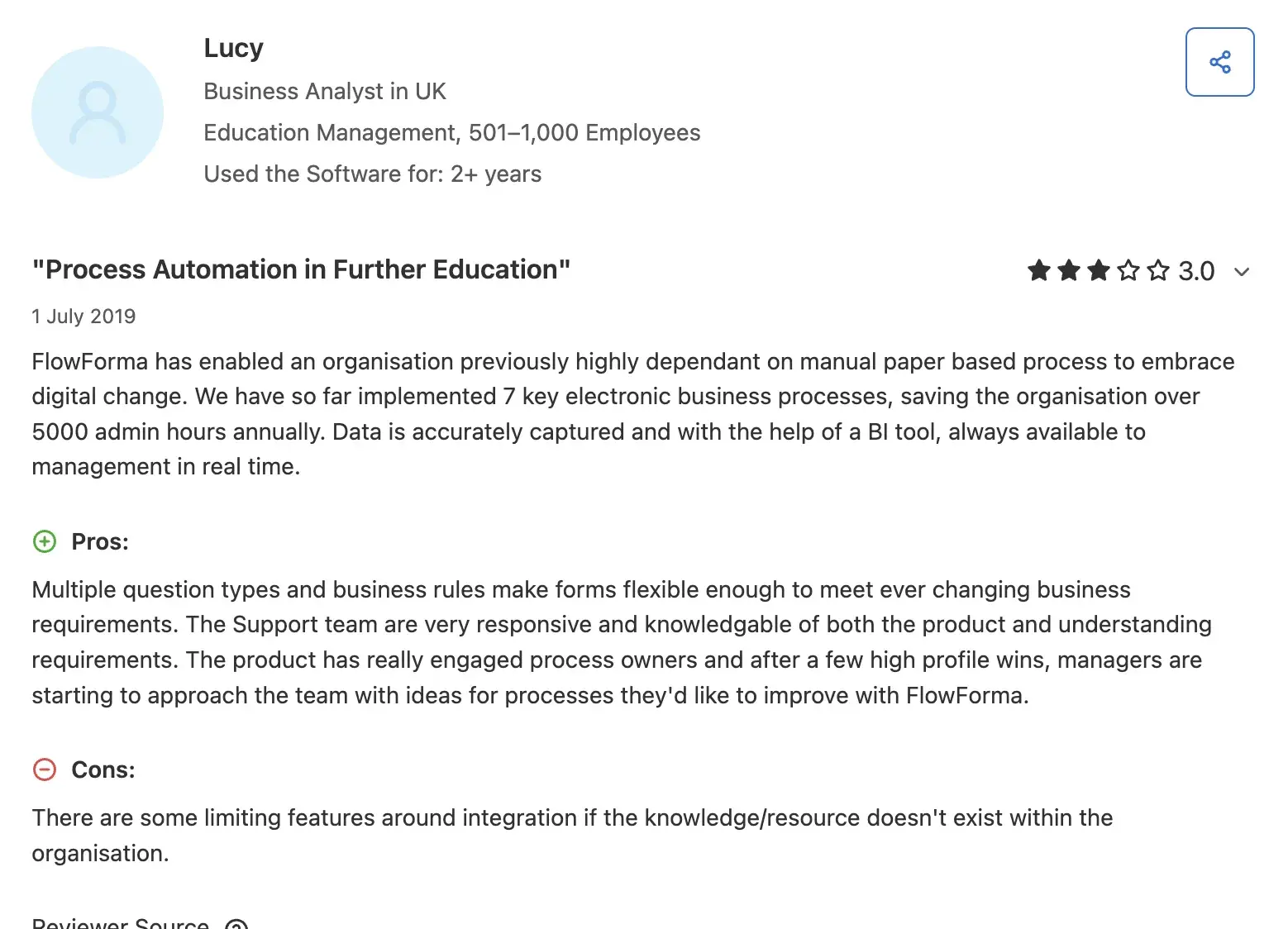
Source
Easier adoption for business teams
Another reason organizations look at FlowForma is usability for non-technical teams. Many automation projects begin with business-led process improvement but later slow down because workflow design, maintenance, or troubleshooting becomes too dependent on IT.
FlowForma is used by organizations that want process owners, operations teams, or department managers to build and update workflows directly, while IT maintains oversight of governance and system controls.
Our model can be useful in companies where IT resources are limited or already handling a long backlog of application requests.
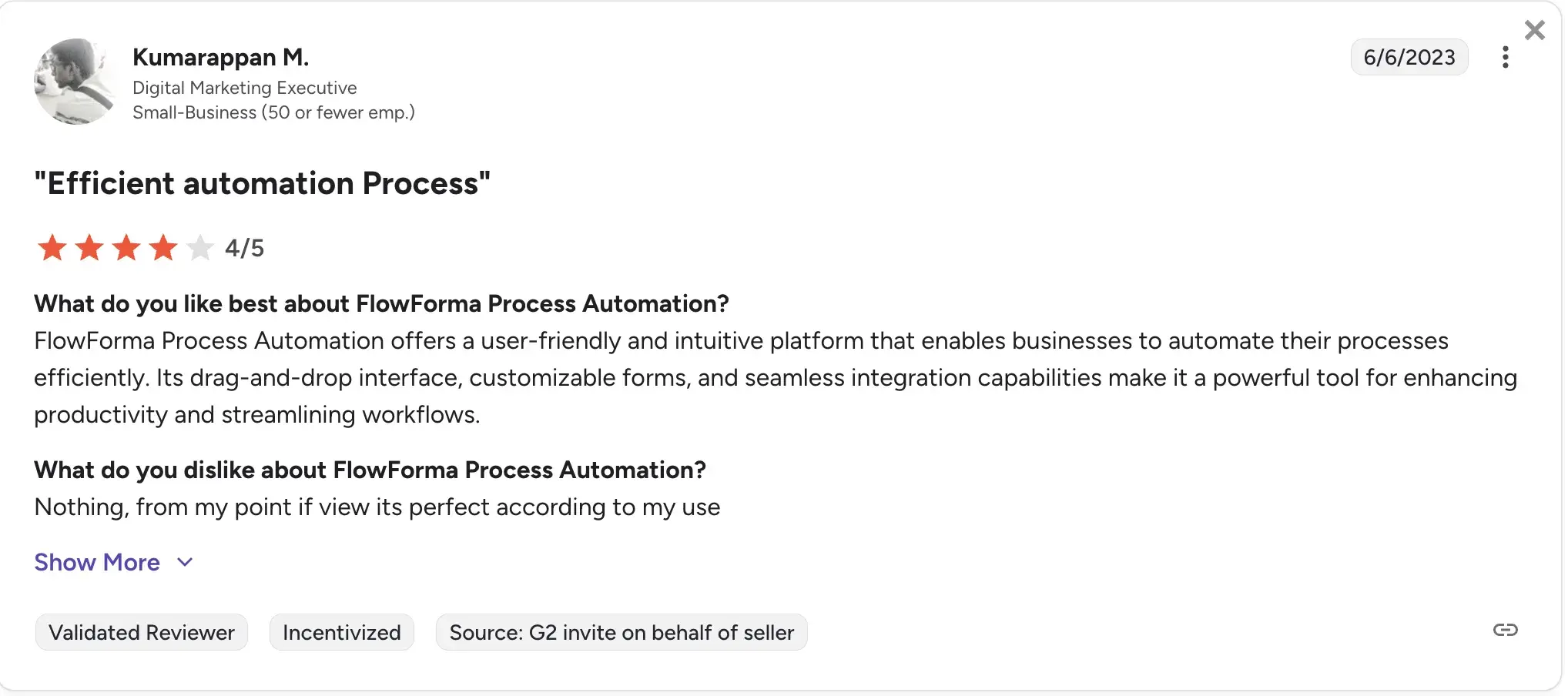
Source
Better fit for compliance-led processes
For teams operating in regulated environments, audit visibility can carry as much weight as automation speed. Healthcare, construction, financial services, education, and public sector organizations often need to show who completed each step, when decisions were made, what data changed, and whether the process followed the expected path.
We offer an in-built compliance module and offer clear audit trails in alignment with regulations such as DORA, HIPAA, GDPR, and OSHA. FlowForma is often reviewed in those cases because it is designed around
More predictable expansion across departments
Cost structure also plays a role in product evaluation. Power Automate pricing can become more layered as organizations add users, bots, hosted infrastructure, premium connectors, or AI-related services. FlowForma is often considered by teams that want a simpler way to budget for broader workflow rollout.
Its process-based pricing model may appeal to organizations planning to automate multiple business processes across departments without having to manage separate pricing logic for each new automation scenario. For buyers comparing total cost over time, that difference can become part of the evaluation.
Faster automation with the AI suite
FlowForma’s AI suite is designed to make automation faster, smarter, and accessible to everyone:
- AI Copilot: Builds workflows using natural language or uploaded diagrams, cutting build time from hours to minutes.
- AI Agent Rule: Reads documents, extracts or validates data, and feeds results back into forms or connected systems.
- Smart Assistants: Guide both workflow builders and end users with step-by-step help, to-do suggestions, and natural language commands for form submission or process initiation.
- AI Summarization: Provides clear, contextual summaries of workflow progress, key decisions, and blockers at any point.
- Process Discovery Agent: Reviews documentation or knowledge bases to identify automation-ready processes and recommend which ones to digitize next.
Organizations evaluating Microsoft-centric automation platforms often compare Power Automate with workflow-focused tools such as FlowForma. Below is a comparison of how our tool fares against MS Power Automate:
|
Areas
|
Microsoft Power Automate
|
FlowForma Process Automation
|
|
Starting price (2026)
|
From $15 per user/month (Premium plan)
|
Process-based pricing starting from $2,347 per month
|
|
G2 Rating
|
4.4/5
|
4.5/5
|
|
Licensing model
|
User, bot, or flow-based tiers
|
Single licence covering unlimited workflows
|
|
Hidden costs
|
Add-ons for AI Builder, RPA, and connectors increase cost
|
Transparent pricing with all core features included
|
|
Ease of use
|
Low-code platform often requiring technical setup
|
No-code workflow design for business users
|
|
AI and workflow creation
|
AI Builder and Copilot Studio require add-ons
|
Built-in AI Copilot, AI Agents, AI Summarization, Discovery Agent, and Agentic AI.
|
|
Scalability
|
Costs increase as automation expands
|
Scales under a single licence model
|
|
Compliance and governance
|
Basic audit trails
|
Built-in governance dashboards and audit tracking
|
|
Best for
|
IT-led automation in Microsoft environments
|
Business-led workflow automation with IT oversight
|
FlowForma focuses on structured workflow automation, combining forms, process management, document generation, and analytics within a single system.
The platform was designed to enable business teams to automate processes while IT teams retain governance and visibility.
Organizations comparing these platforms often consider whether their automation priorities center on system integration tasks or structured business workflows.
Final Thoughts
Automation platforms play a significant role in how organizations manage operational processes and reduce manual work. Microsoft Power Automate offers a flexible automation environment, particularly for teams that want to automate application-level tasks within the Microsoft ecosystem.
However, different organizations may have varying needs and long-term operational goals. Some teams prioritize deep integration capabilities across software systems, while others focus on workflow visibility, governance, and easier process management for business users.
For organizations looking to digitize structured business workflows within a Microsoft environment, platforms such as FlowForma offer a strong alternative.
Built to support operational processes such as approvals, inspections, onboarding, and compliance-driven workflows, FlowForma combines digital forms, workflow automation, document generation, and reporting into a single system designed for business teams.
If you are evaluating automation tools and want to explore how workflow-driven automation can streamline operational processes, request a FlowForma demo to see the tool in practice.
.png?width=175&height=42&name=logo_20(1).png "FlowForma Process Automation")



.png)